
What are common manual workflows in SaaS companies?
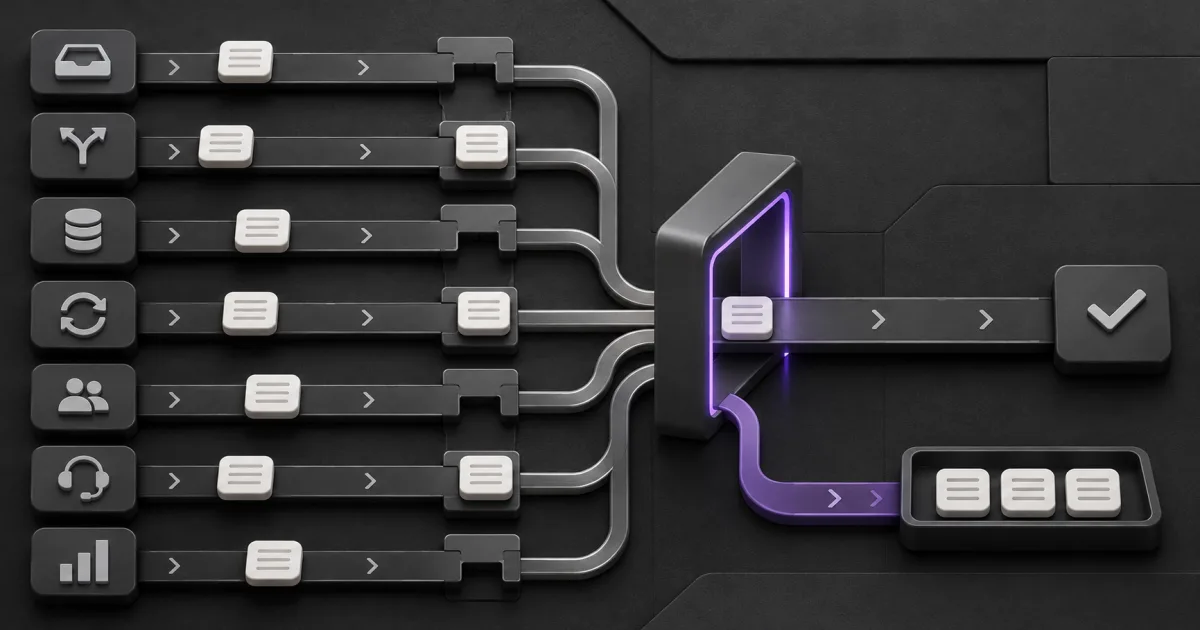
Common manual workflows in SaaS companies often sit between systems and teams: lead intake, CRM cleanup, trial and billing state, customer onboarding, support triage, recurring reporting, and internal requests. Treat that list as a place to inspect, not proof that every SaaS company has the same bottlenecks or that each task should be automated.
Use the Workflow Opportunity Score to screen the work you actually observe. A useful candidate has a clear trigger, named owner, visible finish, repeatable rules, and an exception path. A vague complaint such as "onboarding is manual" is not yet a workflow. Trace one account from signed order to completed setup and record every handoff, wait, correction, and approval.
Where should a SaaS workflow audit look first?
Start where a person repeatedly copies state, decides who owns the next step, reconciles conflicting records, or chases an approval. Those symptoms appear across the customer lifecycle, but the right response varies. Some work needs a platform setting. Some needs process repair. A smaller share earns a new automation.
| Workflow family | Manual warning sign | Useful automation boundary | Keep human |
|---|---|---|---|
| Lead intake and routing | People check forms, enrich records, and choose owners by hand | Validate required fields, apply an agreed rule, assign, and confirm | Territory policy and disputed ownership |
| CRM data hygiene | Ops repairs formats, duplicates, and missing associations every week | Normalize safe fields and route uncertain matches for review | Merge decisions with commercial or compliance consequences |
| Trial and billing state | Teams compare product access with payment and subscription records | Consume verified events, update state, and open an exception | Credits, contract changes, and disputed access |
| Onboarding and renewal | Owners chase prerequisites and rebuild account context | Check readiness, create tasks, and surface missing inputs | Success planning, negotiation, and customer commitments |
| Support triage | Someone reads every ticket to set priority and team | Apply tested routing rules and flag uncertain or severe cases | Risk, empathy, and unusual customer decisions |
| Reporting and reconciliation | Analysts export, join, clean, and recheck the same sources | Pull a fixed period, validate records, calculate, and publish status | Metric definitions and explanations of disputed changes |
| Internal requests and approvals | Work begins in chat and disappears between reviewers | Use structured intake, named approvers, reminders, and an audit trail | Exceptions, policy changes, and spending authority |
Why do manual workflows survive after a SaaS team buys more tools?
Tools usually own records, not the full business outcome. A CRM can store a lead, a billing platform can store subscription state, and a support system can store a ticket. People still become the integration layer when identifiers, rules, ownership, or completion evidence do not carry across those systems.
HubSpot's workflow automation guide documents triggers and actions for lead routing, ticket SLAs, data hygiene, subscriptions, payments, and connected apps. That shows these handoffs can be represented in a customer platform. It does not show that the default rule matches a particular business. The team still has to define the record, trigger, owner, allowed action, and proof of completion.
Buying another tool can hide that design work for a while. If staff still compare tabs, paste IDs into chat, or maintain a shadow spreadsheet, inspect the boundary between systems before replacing either one.
Which revenue workflows are strong candidates?
Revenue workflows are useful audit targets when delay or bad state is visible and the action can be reversed. Lead validation and routing often fit that shape. The workflow can check required fields, resolve a company association, apply an approved territory rule, create one owner, and record why it made that assignment.
Lead routing and CRM hygiene
Do not combine uncertain enrichment, duplicate merging, scoring, assignment, and outreach into one first release. Start with deterministic checks. Send weak matches, shared territories, and conflicting accounts to a review queue. Track unassigned records, assignment changes, duplicates, and routing age. More automated touches are not evidence that the route improved.
Trial, payment, and account state
Subscription work is event driven, but the business response still needs an owner. Stripe's subscription webhook documentation says much subscription activity is asynchronous and describes events for trial endings, status changes, payment failures, and cancellations. A bounded workflow can verify the event, update the internal state, notify the right team, and stop on a conflict. It should not invent contract terms or silently change access when records disagree.
Which customer workflows deserve attention?
Customer workflows become manual when every account requires someone to assemble context and chase the next owner. Onboarding readiness, renewal preparation, and support routing can benefit from automation when the system prepares evidence and work queues without making the relationship decision.
Onboarding and renewal readiness
Check prerequisites such as the signed scope, account identifier, billing state, technical owner, required access, and target date. Then create the task set and surface gaps. Keep the success plan, promises, timeline changes, and commercial negotiation with the accountable people. The automation should expose missing inputs instead of marking the account ready because a date arrived.
Support triage and escalation
Zendesk's routing guidance tells teams to set goals, review volume, variation, skills, SLAs, and outside systems before selecting a routing method. Apply that discipline even when another support platform is used. Route clear cases, preserve the reason, and monitor reassignment. Send uncertain intent, security issues, and high-consequence accounts to a person.
Which internal operations workflows hide the most work?
Reporting, reconciliation, requests, and approvals can look small because the task is spread across many people. The visible output may be one dashboard or one approval, while the real workflow includes exports, corrections, reminders, interpretation, and rework.
Recurring reporting and reconciliation
Separate data movement from metric ownership. Automation can retrieve a fixed period, preserve raw inputs, normalize documented fields, test joins, calculate approved definitions, and publish an exception count. A person should own the definition and explain disputed changes. If finance and operations use different grains or time rules, faster refreshes will only reproduce the disagreement more often.
Requests and approvals
Replace chat-based intake with required fields, one request ID, decision rights, due dates, and a visible final state. Then remove approvals that add no value. The current GSA Eliminate, Optimize, Automate framework puts removal and simplification before automation. Although written for government operations, that order is useful for SaaS teams too. Automating an unnecessary review only speeds up the wrong process.
How do you run a manual workflow self-audit?
Audit recent work rather than asking people to remember an average week. Pick one workflow family and trace a small set of completed, delayed, corrected, and exceptional items. The sample is diagnostic, not statistically representative. Its job is to show where the process changes shape.
- Name the item. Choose a lead, account, subscription, ticket, report, or request that can be followed across systems.
- Mark the boundary. Write the trigger, successful finish, exclusions, and accountable owner.
- Trace every state change. Record the system, person, timestamp, input, output, and reason for each handoff.
- Separate time. Measure active handling, waiting, rework, and exception time instead of one blended duration.
- Find the manual control. Note copying, checking, routing, reminding, reconciling, approving, and correcting.
- Test the simpler move. Ask whether a field, policy, view, integration, or removed step solves the problem before a build.
- Write the failure path. Decide how duplicates, missing data, partial completion, and wrong decisions become visible and recoverable.
Repeat the trace until the team can describe the normal path and important exceptions without relying on one person's memory. If the path changes every week, the next move is process clarification, not end-to-end automation.
Should you automate, configure, simplify, or keep the work human?
Choose the smallest intervention that fixes the measured problem. Custom automation is only one option. A platform rule may solve a stable handoff. A policy or required field may prevent the handoff. Consequential or ambiguous work may remain human with better context.
| Move | Use it when | Evidence before release |
|---|---|---|
| Eliminate | The output is unused, duplicated, or no longer required | Named consumer and policy review confirm removal is safe |
| Simplify or configure | The current tool can enforce the field, view, notification, or approval | Representative records pass and exceptions remain visible |
| Automate | The trigger, rules, data, owner, finish, and recovery path are stable | Baseline, test cases, monitoring, stop rule, and rollback exist |
| Keep human | The decision needs negotiation, empathy, policy judgment, or accepts material risk | The person receives complete context and has clear authority |
The Digital.gov RPA Program Playbook assesses manual, repetitive, stable work alongside exceptions, data sensitivity, process definition, systems, impact, and strategic fit. The technology differs from many modern SaaS stacks, but those selection questions still prevent a busy task from being mistaken for a ready project.
Which workflow should become the first pilot?
Choose the candidate with the clearest evidence, not the most dramatic story. It should matter to one business outcome, repeat often enough to observe, use accessible data, contain failure, and have an owner who can pause and repair it. A narrow lead route or readiness check may teach more than an ambitious cross-company agent.
Compare candidates with the practical workflow scorecard. Record the baseline, exclusions, review points, operating cost, and stop rule before building. Then run the new path beside the old one on representative cases and compare cycle time, corrections, missed items, exception load, and owner confidence.
Bring one traced workflow, its recent exceptions, and the proposed boundary to a workflow review. The useful outcome is a decision: remove the work, configure the current platform, repair the process, run a bounded pilot, or leave the judgment with a person.
Turn this into your own build plan.
Run the Workflow Opportunity Score or book a strategy call. Bring one repeated workflow, the tools involved, and the number that should move.
Run the scoreSources and further reading
FAQ
What is a manual workflow in a SaaS company?
A manual workflow is a repeatable path where people move information, assign ownership, check state, approve actions, or correct records between a trigger and finish.
Which manual workflow should a SaaS team automate first?
Choose a bounded workflow with a measurable outcome, stable rules, accessible data, a named owner, visible completion, and a recovery path.
Should every repeated SaaS task be automated?
No. Remove unnecessary work first, use existing settings where possible, and keep negotiation, empathy, policy judgment, and material-risk decisions with accountable people.